The web on Apple Watch
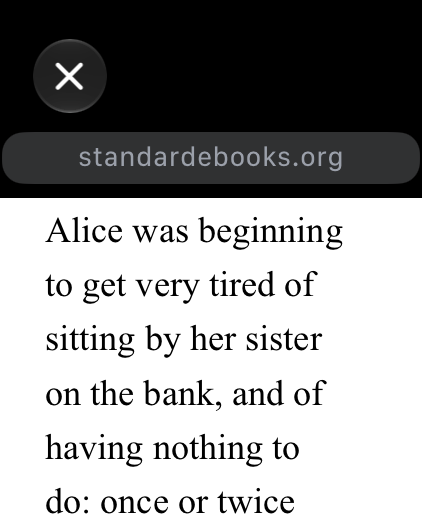
Every year when a new watchOS is announced I look which features can be useful additions to provide the best web experience on the Apple Watch.
When I introduced µBrowser, the idea was simple: sometimes you want to look something up and your iPhone is not around. A small browser on your wrist can be useful in exactly those moments.
That idea is still at the center of µBrowser. But opening a webpage and finding the information you need on a small display are two different things.
Introducing Ask µBrowser
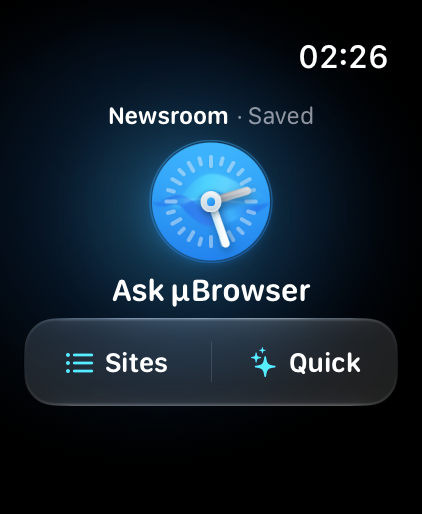
When I saw watchOS 27 introduces AI to Apple Watch I was curious what it can do and how powerful it is. I quickly learned it can do a lot and it is a powerful full AI that your Watch can talk to. I immediatly experimented how to improve browsing with this but I realized this can be the browser.
Therefore µBrowser 5 introduces Ask µBrowser. Choose a publicly readable webpage, ask a question, and get a short answer with sources directly on your Apple Watch.
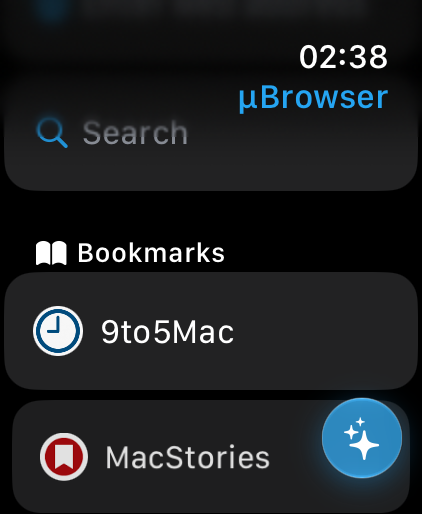
You can ask for a summary, continue with a follow-up question, or open the original page to keep reading. The familiar browser and your bookmarks are still there whenever you need them.
What else is new?
There are also a few improvements to everyday browsing:
- More search choices: Google, Bing, Brave Search, Startpage, and Ecosia join DuckDuckGo.
- More control over history: choose whether to save recent pages, how many to keep, and whether to include searches.
- A choice of whether to keep cookies between browsing sessions.
Requirements and limitations
The browser requires watchOS 9 or later. Ask µBrowser requires watchOS 27 or later and available Apple Intelligence and Private Cloud Compute services. An internet connection is required. Availability depends on your device, Apple Account, language, and region; daily usage limits may apply.
Answers are generated using Apple’s Private Cloud Compute. Ask works with publicly readable content, so pages behind a sign-in or paywall, or pages that require JavaScript, may not work. Browsing large or complex websites on a watch also has its limits.
Outlook
I am looking forward to seeing how you use Ask µBrowser. If you try it, I would love to hear which websites you use it with and what you would like to see next. Also let me know if you find some limitations - I am happy to work on this to further improve the app.
Links and Material
You can get µBrowser on the App Store for $2.99 USD.
Want to write about µBrowser 5? The presskit includes screenshots, app icons, and a short demo. If you have any questions, please get in touch.
You can also find me on Mastodon.